
Description
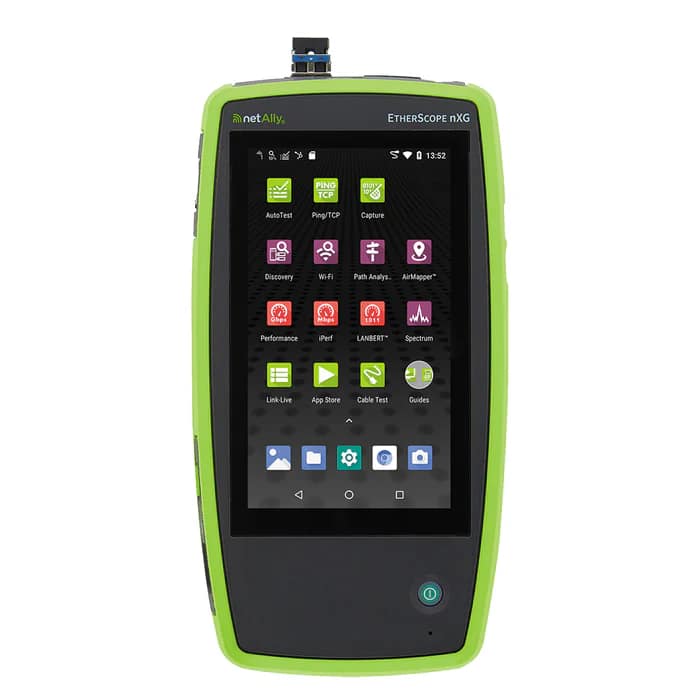
EtherScope nXG EXG-300E wired and wireless diagnostics
NetAlly EtherScope nXG brings network validation, discovery and troubleshooting into a portable instrument for field engineers. The EXG-300E is the partial tri-band version: operation in the 6 GHz band depends on the regulatory-domain information and the country of use. Confirm the appropriate regional model before selecting a kit.
On this page
Use the correct model specification
The EXG-300 family supports copper Ethernet testing up to 10G, 1G/10G fiber interfaces and wireless analysis. AutoTest and discovery workflows help engineers investigate connectivity and the surrounding network. Reporting and collaboration use Link-Live, with some capabilities dependent on support entitlement. Review the official EtherScope nXG product information for the exact configuration.
EtherScope and LinkRunner are separate product families. A function listed for a LinkRunner kit should not automatically be treated as an included function or accessory of this product. Compare the specific ordering codes, software requirements and intended test workflow when choosing between them.
Plan the field investigation
Describe the affected location, client devices and applications before the engineer visits the site. Record whether the issue is a failed connection, an intermittent interruption or a performance complaint. Include the expected network services and the relevant switch or access point information so the investigation has a clear starting point.
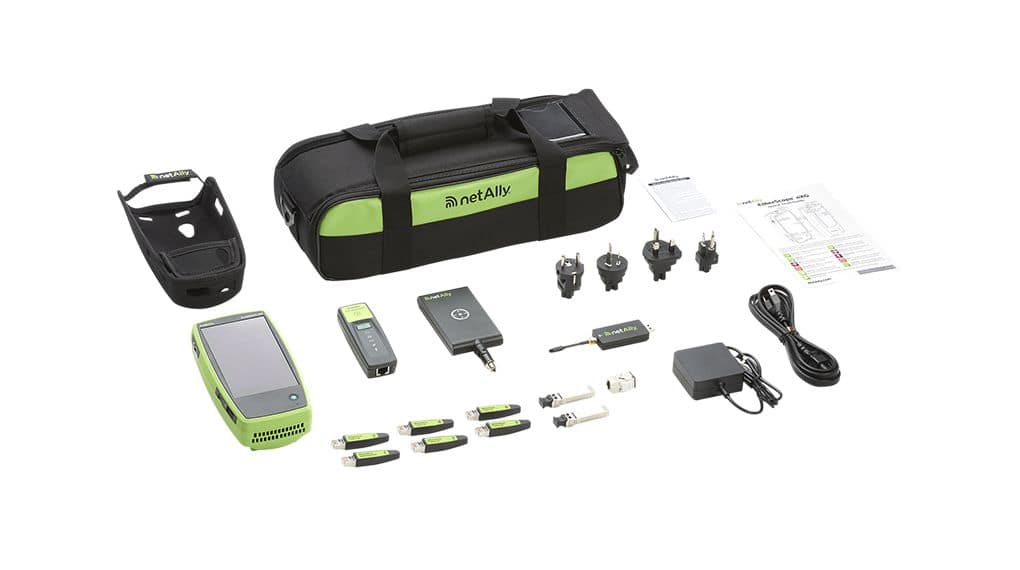
For fiber work, specify the link speed, optics and fiber type. For wireless work, identify the bands and the areas to be surveyed. Include any need for a separate spectrum analysis accessory and confirm its inclusion in the proposed kit. The name of the mainframe alone does not establish the complete accessory list.
Define an EtherScope reporting workflow
Agree on how results will be named and which site identifiers must accompany them. A measurement is more useful when it can be connected to the correct outlet, device or location. Decide who will review the findings and what evidence is needed to close the support request or accept a deployment.
Where several engineers share equipment, discuss account access, collaboration and support coverage alongside the hardware. Keep the chosen configuration and software entitlements with the equipment record. This helps avoid uncertainty when the instrument moves between teams or when a feature is needed during a time-limited visit.
Request the complete configuration
Send Norrati the country of use, required wired speeds, wireless requirements and existing test equipment. Ask for the exact EtherScope ordering code, included transceivers, accessories and AllyCare terms to be listed in the quotation. Contact us through the product enquiry page or compare the wider NetAlly catalogue before discussing availability.
Separate wired and wireless acceptance checks
Document the expected wired services and wireless requirements for each site. Confirm which tests will be performed on copper, fiber or Wi-Fi, and whether optional adapters are required. Record test profiles and review which results need to be shared centrally.
Related product: NetAlly Link-Live Network Reporting & Analysis Platform.



Reviews
There are no reviews yet.