Description
NetAlly AirMapper Site Survey overview
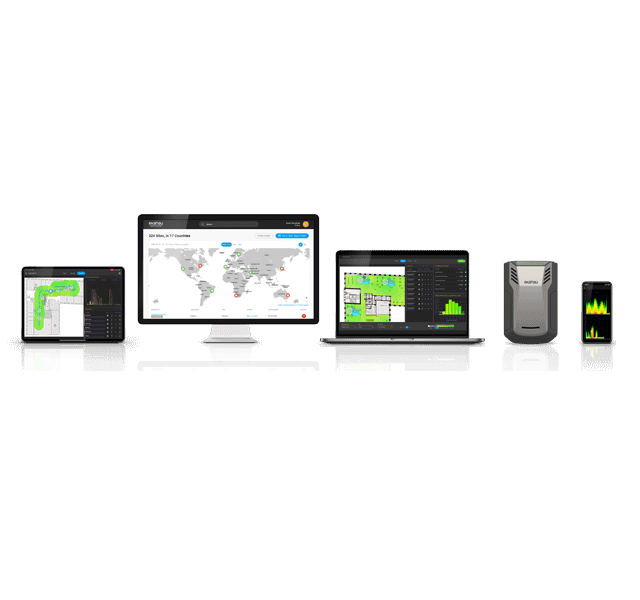
NetAlly AirMapper Site Survey collects location-based wireless measurements on compatible handheld testers. Teams can review the resulting heatmaps in Link-Live or AirMagnet Survey Pro to assess deployment quality.
On this page
Technical highlights
| Survey workflows | Active, passive and client Wi-Fi surveys; Bluetooth/BLE surveys |
|---|---|
| Compatible platforms | AirCheck G3, EtherScope nXG, CyberScope and CyberScope Air |
| Measurements | Coverage, noise, SNR, utilisation and interference |
| Analysis | Link-Live or AirMagnet Survey Pro visualisation |
| Wireless visibility | Wi-Fi 7 and 6 GHz support on compatible devices |
Configuration and compatibility
AirMapper is an app within the NetAlly tester ecosystem, not a separate handheld. Advanced Link-Live visualisations and analysis require the applicable active support entitlement.
Plan your deployment
Prepare a scaled floor plan and identify the areas, SSIDs and client experience to validate. Confirm the collector hardware and analysis software before scheduling a survey so the recorded data matches the required deliverable.
Discuss NetAlly AirMapper Site Survey with Norrati
Contact Norrati International in Dubai with your project requirements, quantity and deployment country. We can discuss configuration, current availability and quotation details. Confirm the exact ordering code, included items, licence terms and support coverage in the final quotation.
Prepare a repeatable site survey
Use an accurate floor plan and consistent route for the survey. Record the survey bands, equipment and operating conditions, then review the result with the design targets. If multiple sites are involved, agree on names and floor-plan versions before combining the results.
Related product: NetAlly AirCheck G3 Pro Wireless Network Tester.