
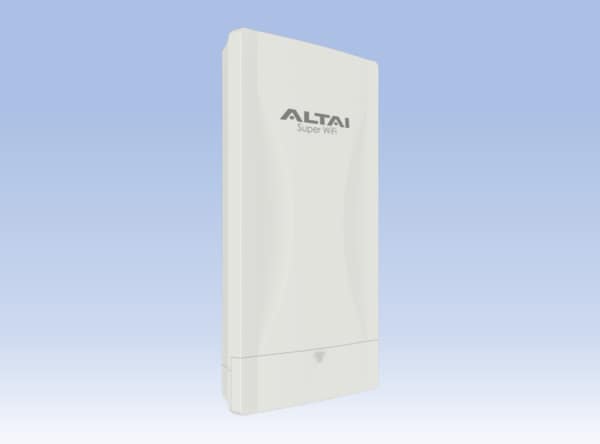
Description
Altai C260 wireless deployment options
Altai C260 is presented here as a product family, so selection should begin with an exact model number. The manufacturer’s C260-X is an outdoor Wi-Fi 6 example with dual-band 2×2 radios and external antenna connections. Do not assume that every C260 variant has the same enclosure, antennas or interface configuration.
Review the C260-X example
For C260-X, Altai lists 5 GHz rates up to 2402 Mb/s using a 160 MHz channel and 2.4 GHz rates up to 574 Mb/s. These are physical-layer rates, not guaranteed application throughput. Client support, spectrum availability and channel planning determine whether a wide-channel configuration is appropriate for the site.
Plan Altai C260 mounting and power
C260-X supports wall or pole mounting, two Gigabit Ethernet ports and 802.3af PoE. Its IP66 protection statement applies when installed vertically. Confirm the exact installation instructions, compatible antennas, cable entries and accessory list for the selected model before preparing the site or finalising the equipment schedule.
Design for the required client experience
Identify the areas that need coverage and the applications used there. Record client types, expected concurrency, building materials and possible interference sources. Select antenna patterns and mounting positions around those conditions. Validate the design with representative clients rather than treating a headline range or radio rate as a coverage guarantee.
Agree on management and validation
The manufacturer lists management options including AltaiCare, AltaiGate and Altai Insights for C260-X. Confirm compatibility, licensing and the functions required by the operations team. Define the SSID, VLAN and authentication plan, then document coverage and client connectivity checks as part of the handover.
Discuss an Altai C260 configuration
Send Norrati the intended model, deployment country, site drawings and expected applications. Include mounting locations, uplink connections and available power. We can discuss configuration and availability while identifying details that need confirmation. Review the antenna set, mounting hardware, management requirements and regional ordering code before purchase. For an expansion, include the existing wireless models and management platform so compatibility can be checked.
Review the official manufacturer information for model specifications.
Contact Norrati International in Dubai for configuration advice or browse the product catalogue.



Reviews
There are no reviews yet.