
Description
LinkRunner 10G Ethernet diagnostics
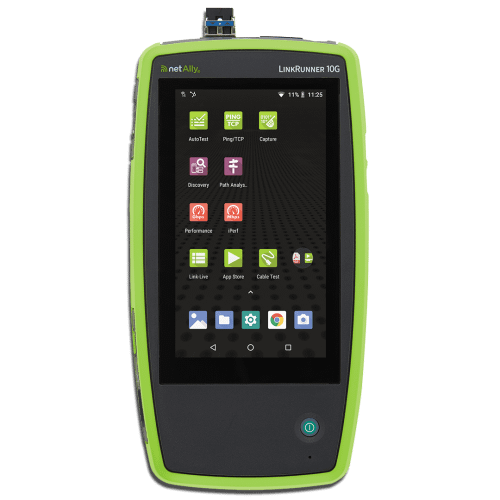
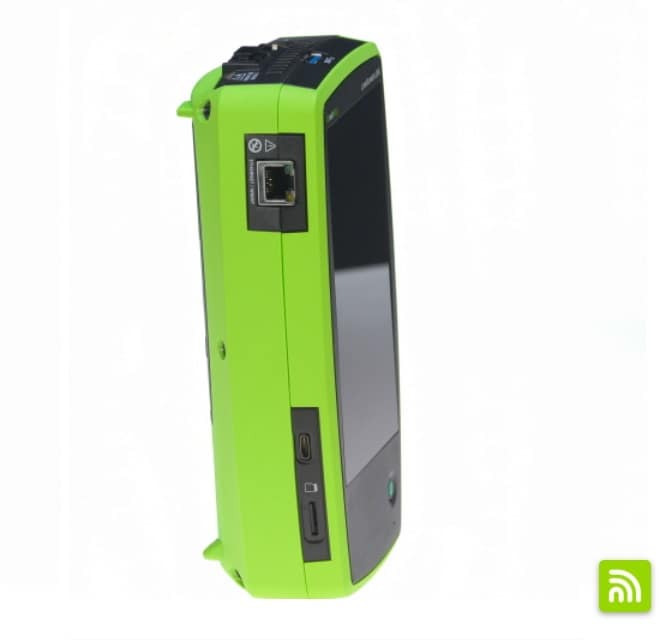
LinkRunner 10G combines network validation, discovery and performance testing in a handheld instrument. Copper media access covers 10 Mb/s through 10 Gb/s, including 2.5G and 5G; fiber support covers 1G and 10G with compatible SFP interfaces. Select the setup around the link and measurement required.
On this page
Choose the right performance test
The Network Performance Test workflow can use a second compatible NetAlly tester to assess throughput, loss, delay and jitter. LANBERT provides a media-focused test using Ethernet frames with a compatible endpoint or loopback arrangement. Confirm the endpoint and interface requirements before assuming that one instrument alone completes the intended test.
LinkRunner 10G cable and power checks
The platform includes cable diagnostics and support for PoE checks. Identify the powered device requirements, switch port and cable path during troubleshooting. Keep the physical cable result separate from service reachability and application behaviour so the next investigation follows the evidence.
Review the Professional Kit contents
The current LR10G-200-KIT listing includes the mainframe, specified multimode and singlemode optics, wire mappers and carrying accessories. Earlier kits may differ. Confirm the exact ordering code and item list, especially when comparing a new quotation with equipment already owned by the team.
Plan support activation and reporting
New LR10G-200 mainframes include the first year of AllyCare Pro, and NetAlly requires registration and activation within three days of first power-on. Some functions depend on active coverage. Review the required reporting, topology and remote workflows and confirm their support requirements before deployment.
Prepare a LinkRunner 10G enquiry
Send Norrati the copper and fiber interfaces, expected link speeds and measurements the team needs. Include any second tester, optics or accessories already available. For performance testing, state the endpoints and permitted test conditions so the setup can be reviewed against the live environment. We can discuss configuration, support term and availability. Confirm the complete kit contents and software entitlements before purchase.
Review the official manufacturer information for model specifications.
Contact Norrati International in Dubai for configuration advice or browse the product catalogue.
Choose the optical interfaces for the kit
List the installed Ethernet speeds, interfaces, optics and endpoints used by the team. Confirm which tests require equipment at both ends and what accessories come with the quoted kit. Keep the resulting test configuration with the handover documentation.
Related product: NetAlly LinkRunner 100G Network Tester.




Reviews
There are no reviews yet.