
Description
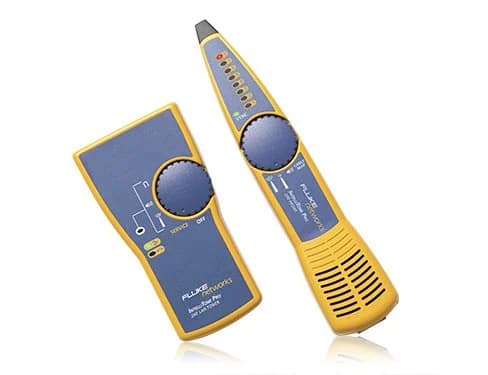
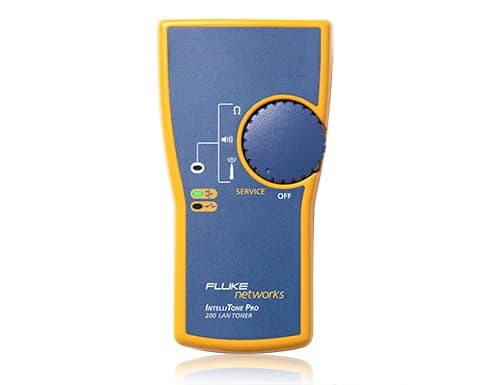
IntelliTone Pro 200 toner and probe for cable tracing
The Fluke Networks IntelliTone Pro 200 kit combines digital and analog toning to help technicians locate and identify copper cables. It supports field work in equipment rooms, patch panels and cable bundles, where the first task is often finding the correct connection before a repair or change can begin.
Locate, isolate and verify
Digital toning helps locate and isolate cables, including on active Ethernet networks. SmartTone analog toning supports individual wire-pair identification. The probe’s visual indicators help interpret the signal, while the CableMap function provides an end-to-end continuity check for faults such as opens, shorts and reversed pairs.
These functions support cable identification and basic verification. They do not replace standards-based cable certification or an application throughput test. Select the next test according to the evidence needed after the correct cable has been located.
Confirm the IntelliTone Pro 200 kit contents
The manufacturer lists the MT-8200-60-KIT with a toner, probe, connection leads, patch cables and carrying or identification accessories. Individual replacement components and other ordering options should be checked separately. Use the official datasheet and ordering table to confirm what is included with the requested part number.
Prepare the cable tracing job
Start with the outlet or device location, the expected equipment room and any existing cable labels. Note whether the connection is in service and coordinate the work with the team responsible for that network segment. Keep the relevant drawings available so an identified cable can be matched to its intended endpoint.
Describe the media and connector types before choosing a kit. A technician working mainly at RJ45 patch panels may have different lead requirements from someone investigating mixed voice, data and coaxial connections. Include existing probes and adapters in the enquiry if the purchase is intended to complete a toolkit.
Document the connection after identification
Once the cable is identified, update the outlet and panel labels using the site’s naming convention. Record the change with the job details so another engineer can find the same connection later. If the original complaint remains, move to the appropriate wiring, service or certification test instead of treating cable identification as proof of network performance.
Ask Norrati about IntelliTone Pro 200
Send the required quantity, connection types and intended workflow through our product enquiry page. We can discuss the IntelliTone Pro 200 ordering options and confirm configuration and availability. For jobs that also require cable verification or formal installation reports, compare our network test equipment and explain the complete handover requirement.




Reviews
There are no reviews yet.