

Description
MicroScanner cable verification for field technicians
The Fluke Networks MicroScanner family helps technicians investigate wiring, cable length and available services when installing or maintaining a network connection. Choose between MicroScanner 2 and the PoE version according to the media and power information required. These cable verifiers support installation and fault finding; a project requiring formal cabling certification needs a suitable certification tester.
Compare the two models
| Requirement | MicroScanner 2 | MicroScanner PoE |
|---|---|---|
| Twisted-pair wiremap, length and distance to fault | Supported | Supported |
| Coaxial cable verification | Supported | Not included |
| PoE information | Detects 802.3af | Reports class and power for 802.3af, at and bt |
| Service identification | 10/100/1000BASE-T | Also identifies advertised 2.5G, 5G and 10G services |
| Cable tracing | Analog and digital toning | Analog and digital toning |
Service identification describes what the connected port advertises. It should not be treated as a line-rate throughput test or a certification result for the installed cable. Review the official manufacturer comparison and ordering information for the selected version.
Start with the connection being investigated
Record the outlet, patch panel and switch port involved in the problem. Note whether the connected device has never worked or whether the fault appeared after a change. Include the cable type and any intermediate patching so the technician can choose an appropriate test boundary. This context makes a wiring or distance measurement easier to interpret.
For a powered endpoint such as an access point or network camera, distinguish the cable question from the power question. The required power class and the information available from the switch are part of the investigation. Select the PoE version when its additional power reporting is needed, and check the endpoint’s own requirements alongside the measurement.
Choose a practical MicroScanner kit
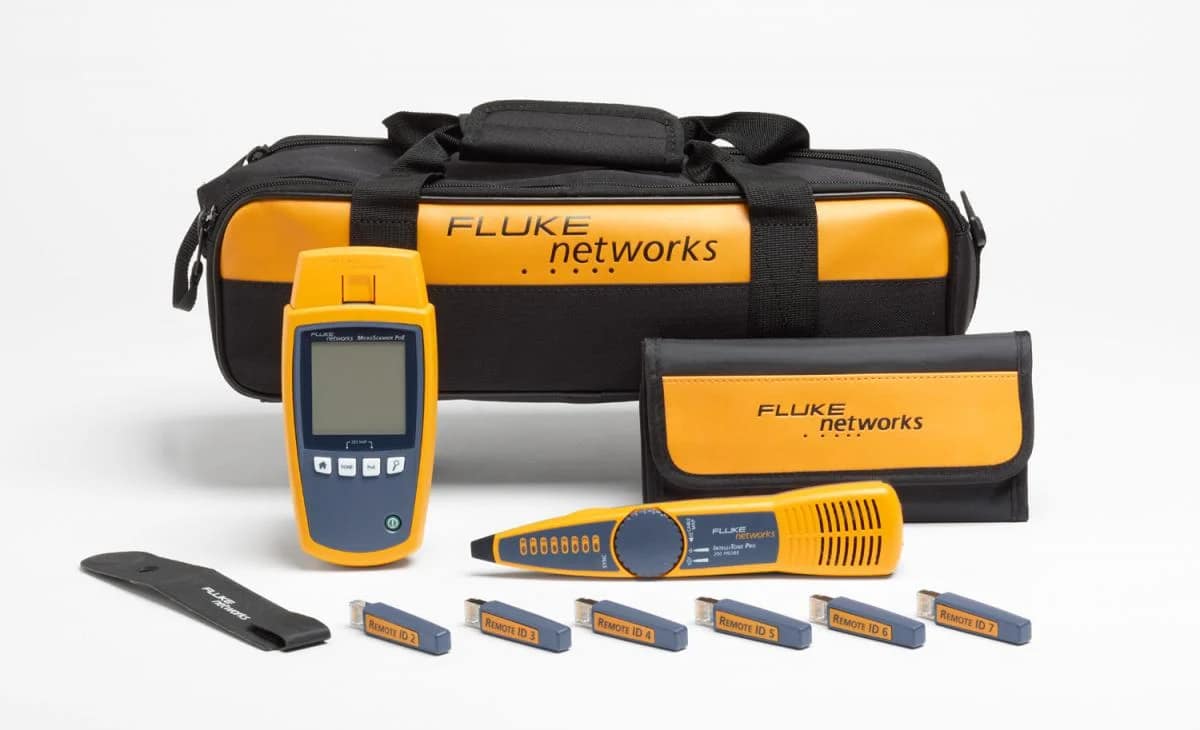
Compare the included wiremap adapter, probe, remote identifiers, patch cords and carrying accessories for the exact part number. A single technician checking one connection may need a different kit from an installation team identifying many outlets. Do not assume every item shown in a family photograph is included with every ordering code.
If your team already owns a compatible probe or identifiers, include those details in the enquiry. Describe the connector types used on site and whether coaxial cabling is part of the workload. Accessories should be selected around the connections the engineer will actually encounter, rather than around the appearance of a kit photograph.
Record the result and next action
Keep the test location and observed fault with the job record. When a cable is repaired or reterminated, check the same connection again and document the change. Consistent labels help the next engineer connect a result to the right outlet, especially where several rooms or cabinets are being worked on at the same time.
Decide in advance what evidence is required for the handover. Routine verification and formal acceptance testing serve different purposes. If the contract asks for standards-based certification reports, describe that requirement before selecting equipment. Our network cable tester selection guide explains the main test categories.
Request model and accessory advice
Contact Norrati with the media types, required power checks, number of technicians and existing tools. We can discuss the appropriate MicroScanner configuration and confirm pricing and availability for the requested kit. Use the product enquiry form to share the part number or project requirement, or compare our other network test equipment.



Reviews
There are no reviews yet.